 Shift Diary
The app
What Shift Diary does, screen by screen.
Time and attendance for farms, security and construction — where staff are spread out, phones aren't in everyone's hands, and the record has to hold up when it's questioned. Run it from an iPhone, iPad or Mac, with a phone at each gate doing the clocking.
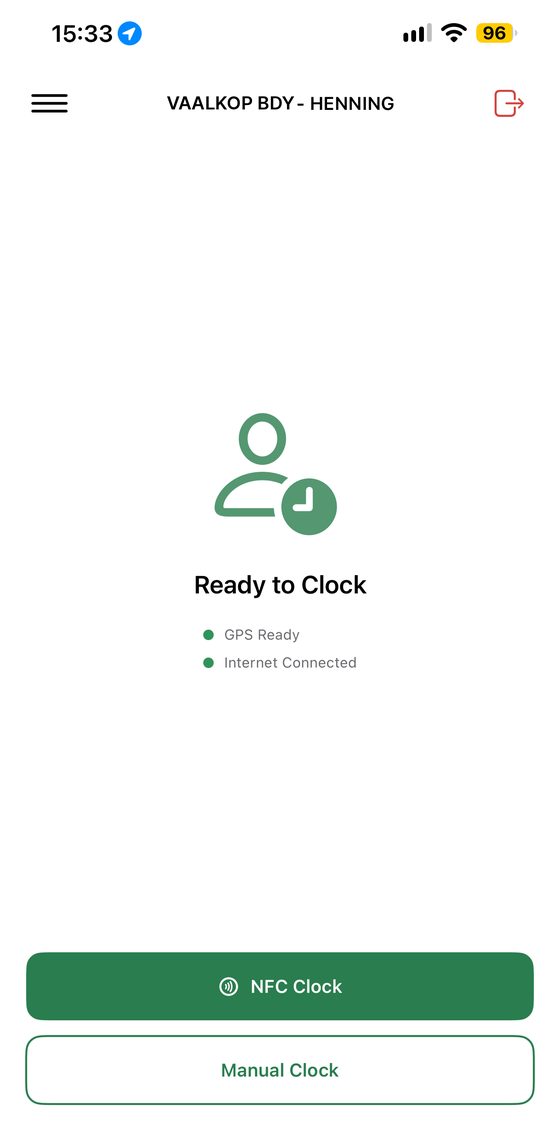
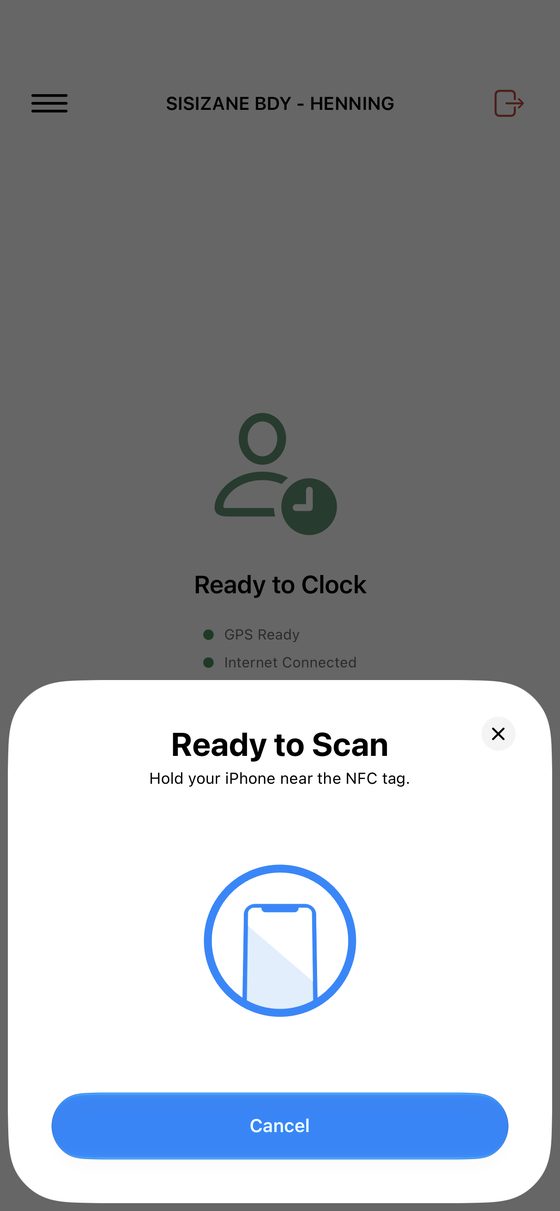
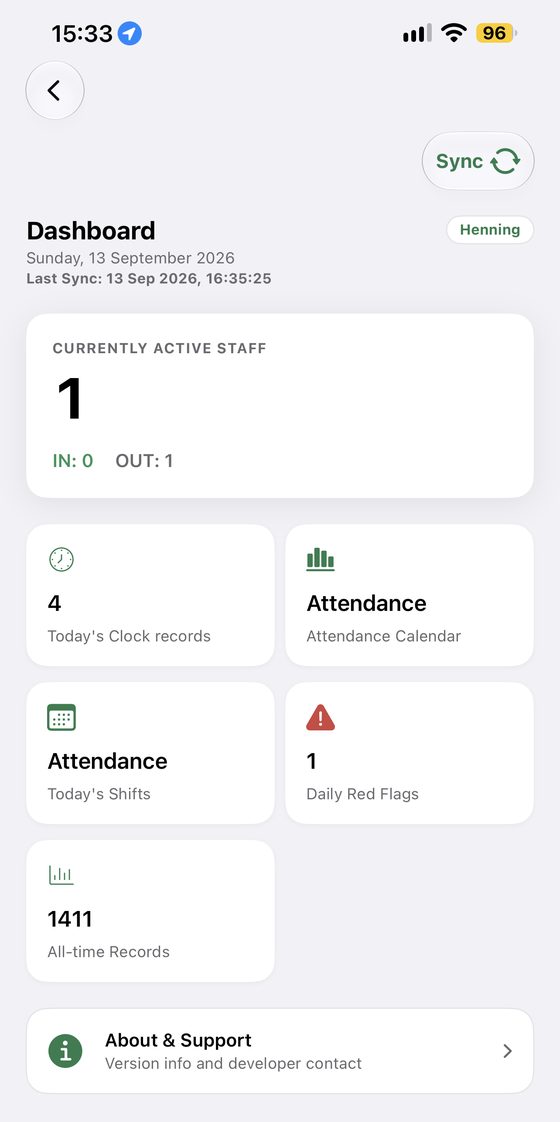
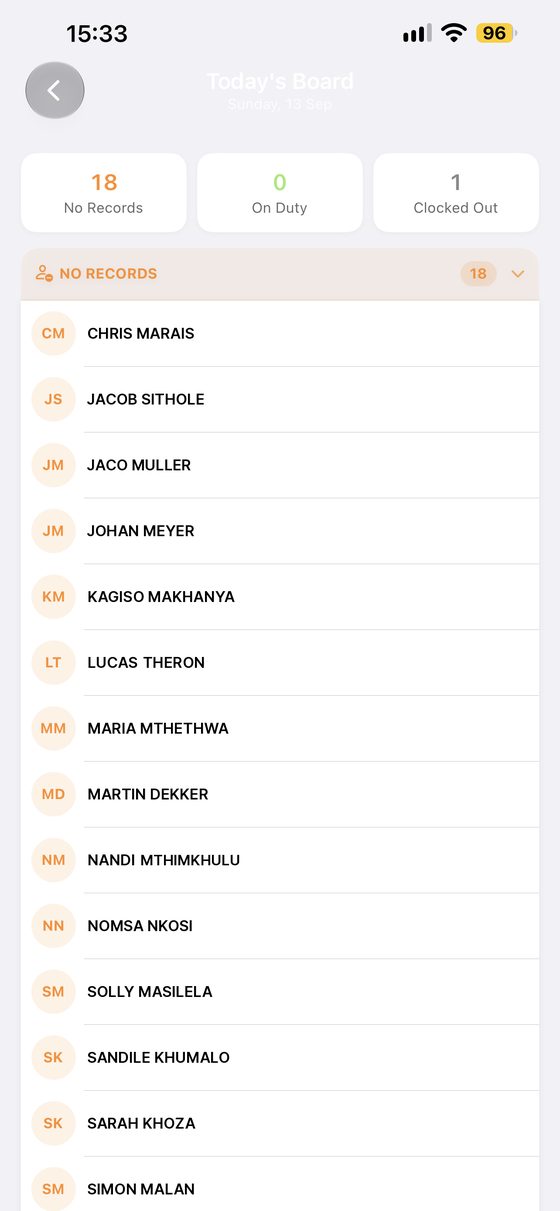
Swipe to see more.
Clocking in
A tag per person, a phone at the gate. Hold the tag to the device and the shift starts; hold it again at the end and it closes. On Android the phone is always listening, so you open the app and go. On iPhone you tap NFC Clock first and then the tags run through.
- Android: open the app and scan, no buttons to press
- iPhone: tap NFC Clock, then scan
- Up to four tags a second, so shift change doesn't queue
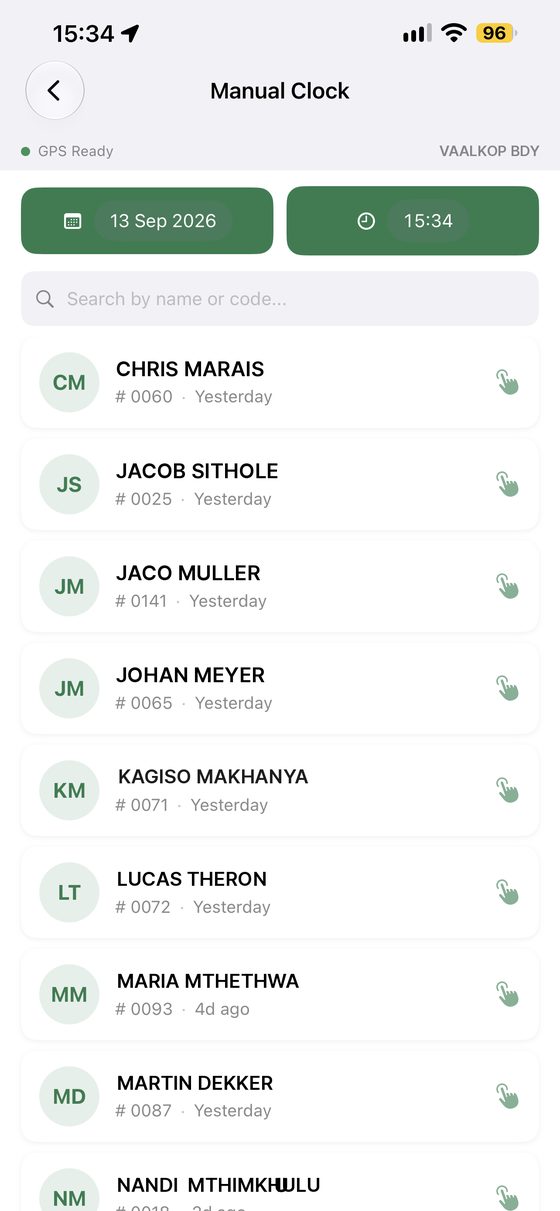
- Manual clock, with a date and time picker, from the station or from your account
- Every entry marked NFC or manual
Your people, and their tags
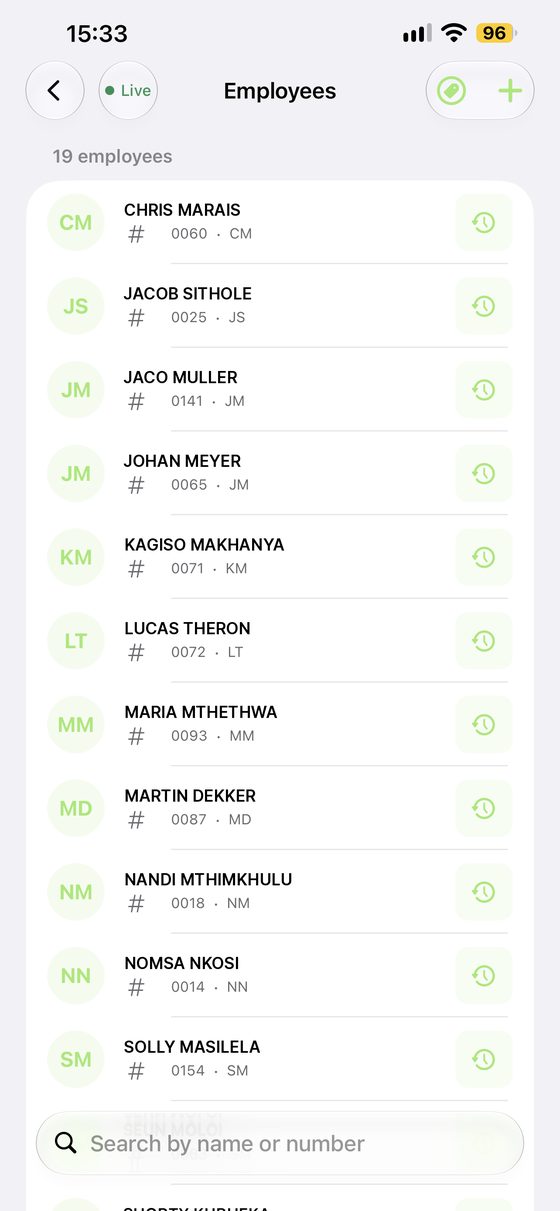
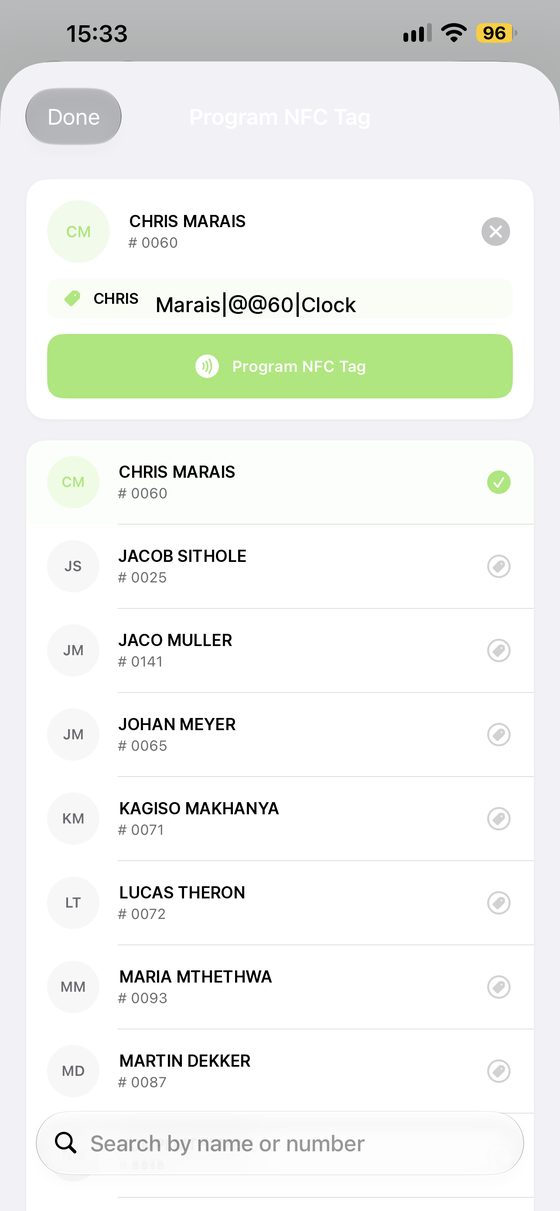
Add an employee with their name, initials and employee number, then program their tag from inside the app — no separate writer, no waiting on us. Lost tags get replaced the same way, and a manager can clock that person by hand in the meantime.
- Add and remove employees from any Apple device
- Create and program tags yourself, on an iPhone or an Android phone
- Replace a lost tag in under a minute
- Manual clocking covers the gap until it's replaced
- Live status beside every name
Today's records
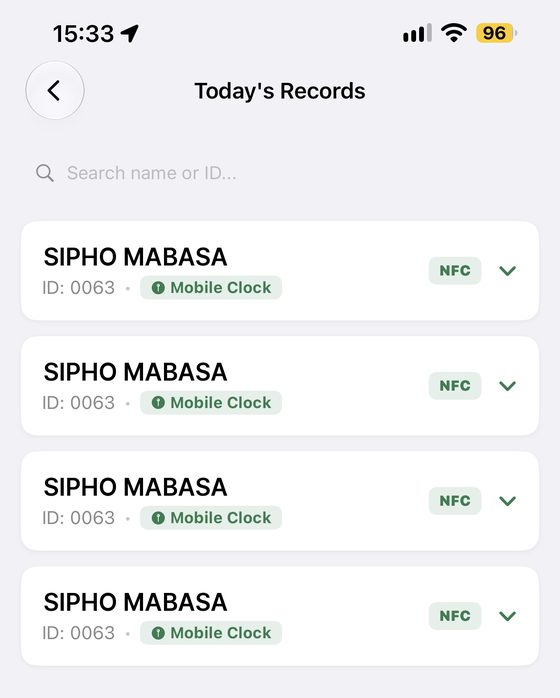
Every clock event of the day in one list, with the station it came from and whether it was a tag or a manual entry. Tap any line to open the detail.
- Live list of the day's clock events
- Station shown on every record
- NFC and manual entries clearly marked
- Void an accidental or double tap, and restore it later if you need to
Attendance, day by day
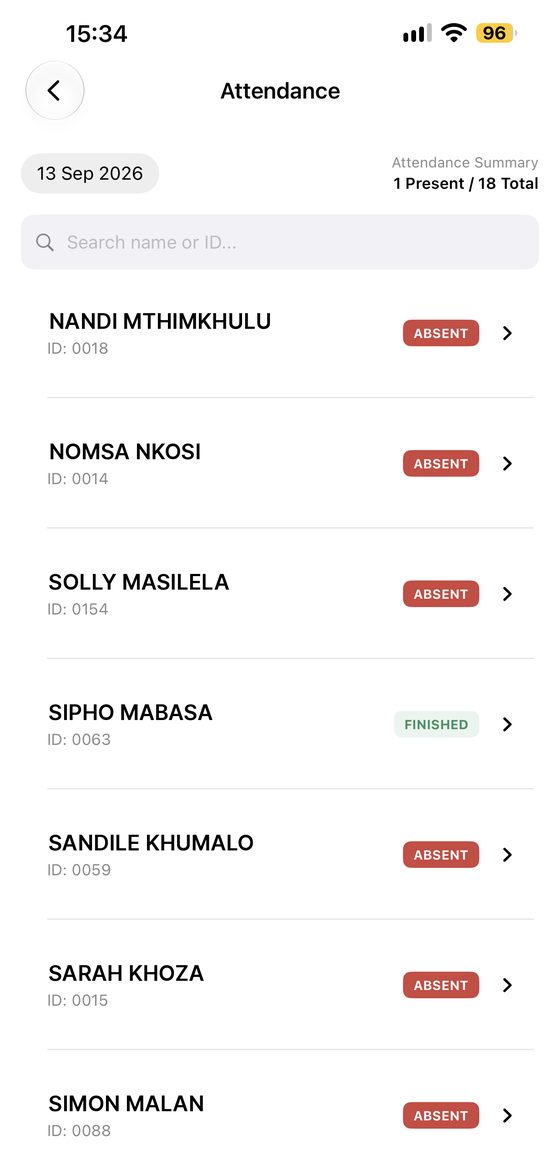
A present-and-total summary for the day and a status against every name — finished, absent, still on duty — so the gaps are visible without counting anything.
- Present versus total for the day
- A clear status against every employee
- Search straight to a person
The timesheet you hand to payroll
Choose a start and end date and the app builds a report. The first page lists every employee with days worked and total hours. After that, a page each: every date in the period, the day of the week, time in, time out and the hours for that day.
- Days worked and total hours, per employee and at a glance
- Weekends shaded, so a Sunday shift is obvious
- A day with a clock-in but no clock-out is highlighted and marked "check"
- Those days are left out of the total rather than guessed at, and the employee is flagged on the summary page
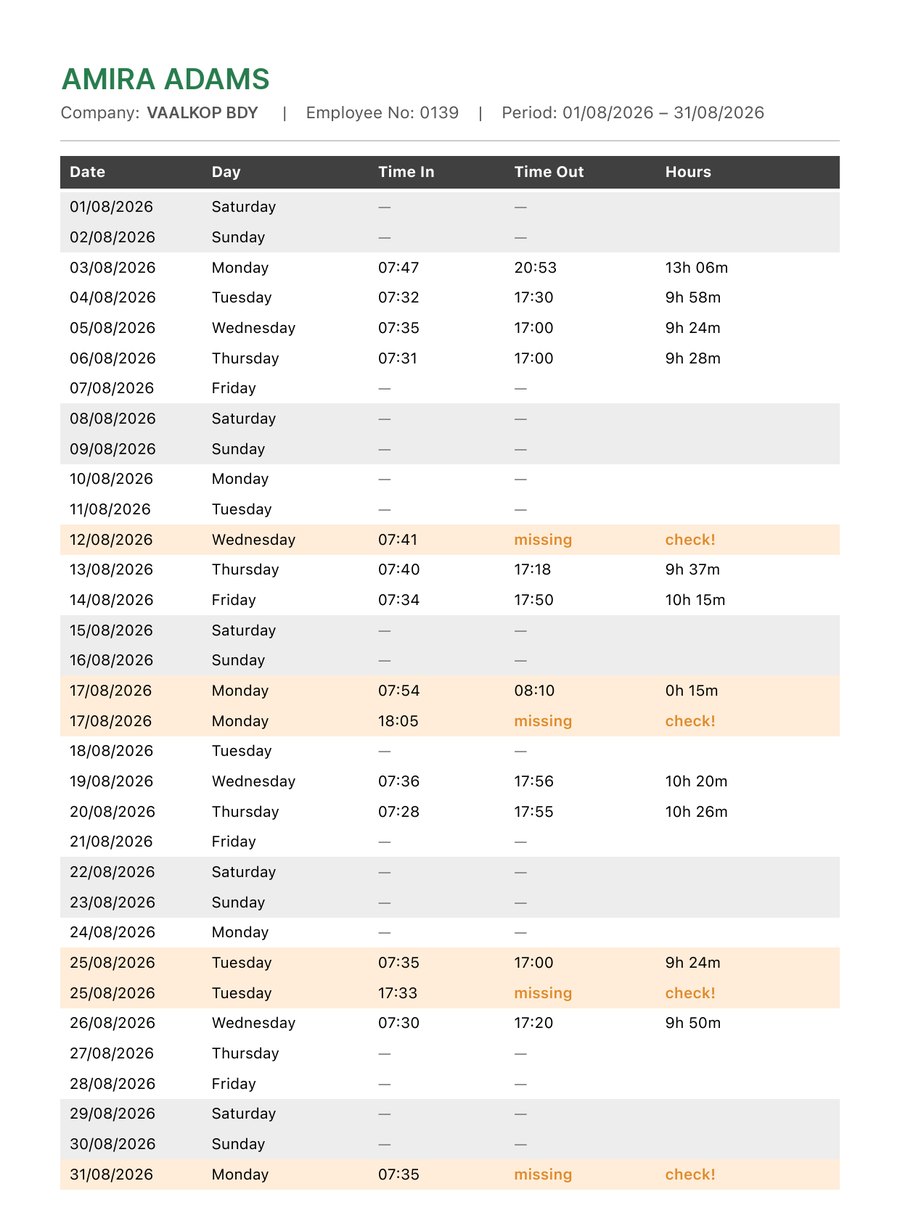
One employee, one month
The page your bookkeeper wants
The report opens with the whole team on one page: days worked and total hours for each person, and an exclamation mark against anyone whose month has a day that doesn't add up. Start there, check the few that are flagged, and the rest is ready to pay.
- Every employee, days worked and total hours
- Flags the people worth a second look, and only those
- Your business name and the period across the top
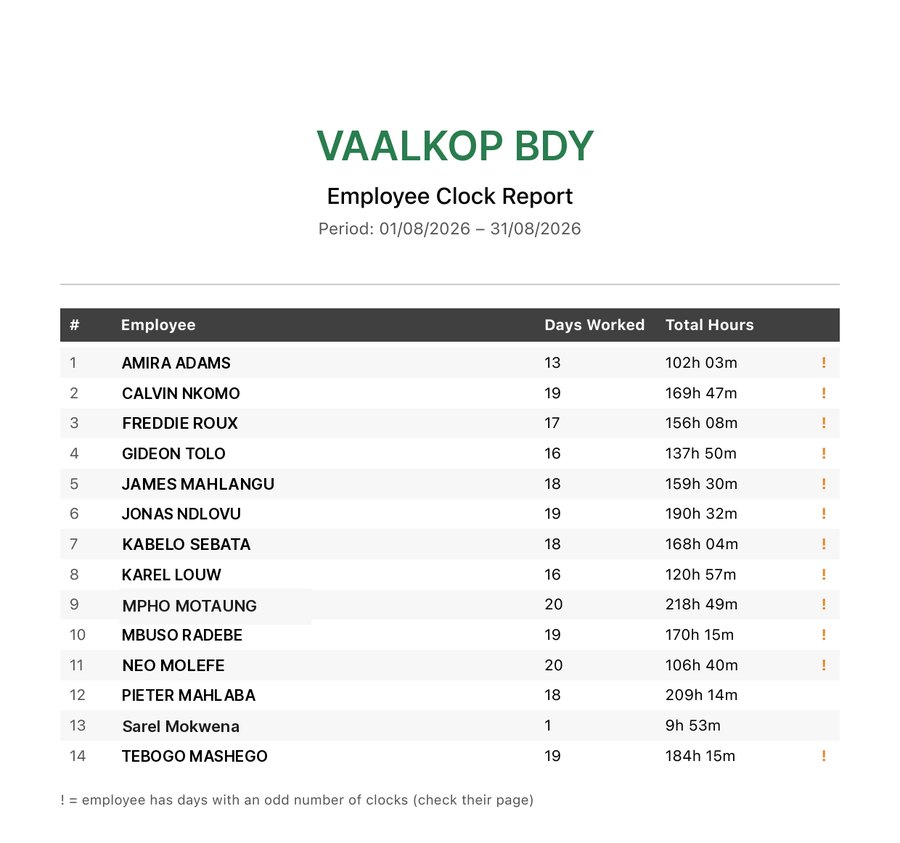
Summary page · example data
History, maps and exports
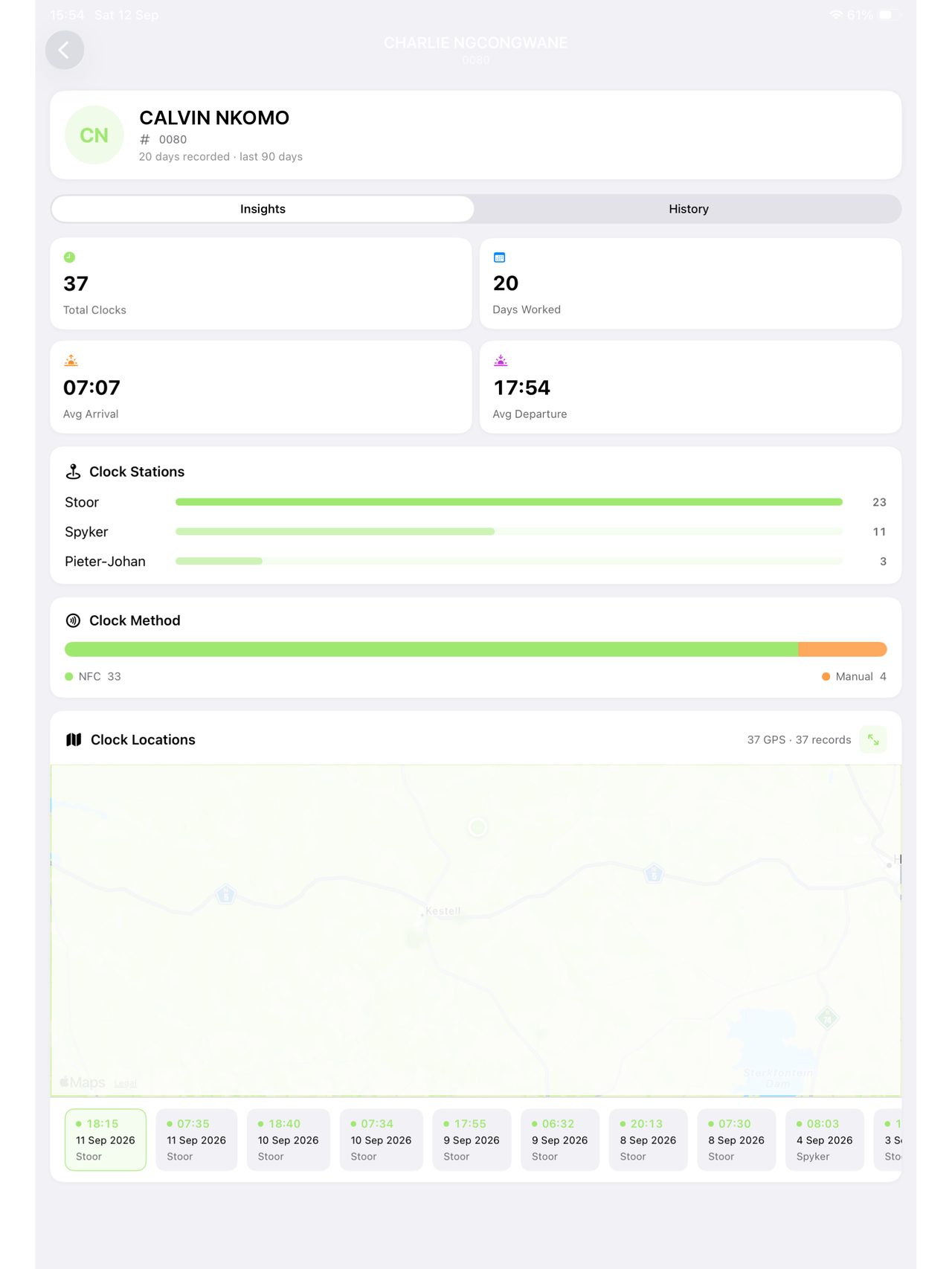
On the wide screen you get the whole picture: today's activity, the thirty-day attendance graph, where each station last clocked, and inside any employee profile, a map of every place that person has tapped.
- Daily red flags — anyone who clocked in but never clocked out
- Last location of every clock station on the map
- All of an employee's clock locations, plotted
- PDF timesheet: a page per employee, every day, hours totalled
- CSV of the raw clock records, with a map link to where each clock happened
- Any date range, any employee
See it on your own gate.
Download it free and set up your first station in an afternoon.